StandBy Mode: Big Clock Widget
MAA FOR APPSBeauty
4.467.00 Reviews
- Version
- 3.1.9a
- Installs
- 100.00K
- Age Rating
- Everyone
Screenshots
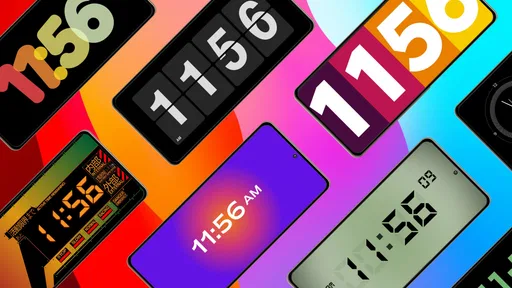
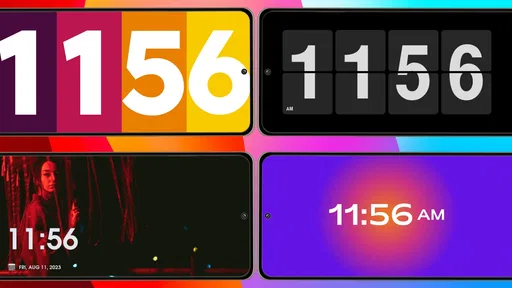
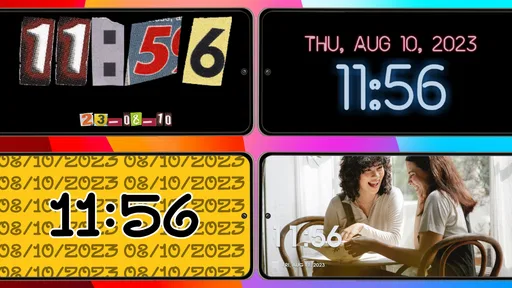
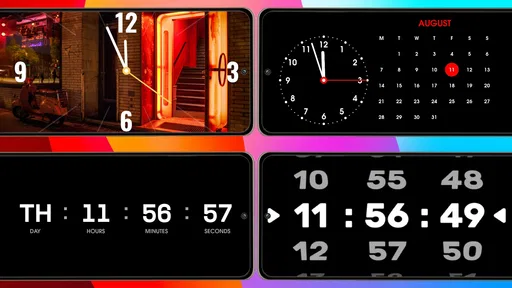
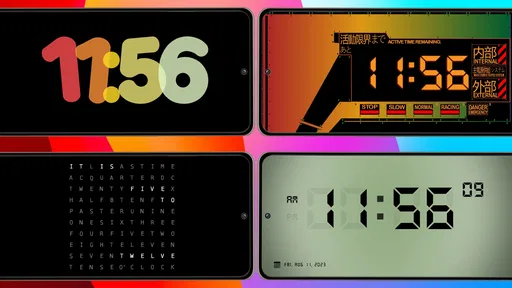
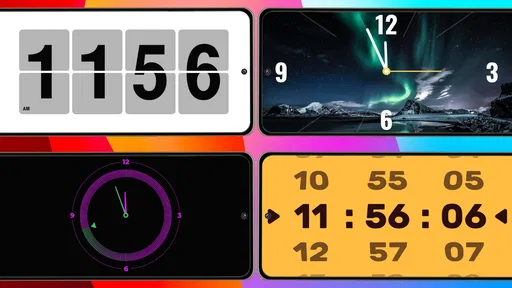
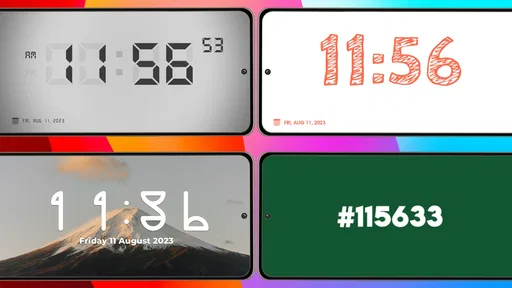
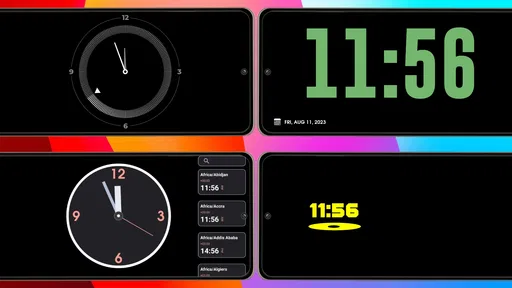
Our Review of StandBy Mode: Big Clock Widget
 Analysis by Appyee
I like apps that give an old phone or tablet a useful second life, and StandBy Mode: Big Clock Widget is built around exactly that idea. It turns a device placed sideways into a large clock display for a desk, bedside table, kitchen counter, or work area. The concept is simple, but the value depends on how well the display fits into your routine rather than how many tools it tries to include.
After using it as a beauty and personalization app, I found its strongest quality is focus. This is not trying to replace a full home-screen launcher or become an all-purpose dashboard. It is meant to make landscape mode look intentional, with a prominent clock that can stay visible while the device is resting. If you want a calm, readable standby screen instead of a crowded collection of widgets, it is worth considering.
What the current version is really for
The app comes from MAA FOR APPS and is free to use, which makes experimenting with it easy. It is rated for Everyone and works on devices running Android 6.0 or later. The current release is version 3.1.9a, so this is not an abandoned concept left at an early prototype stage. It has also attracted over one hundred thousand installs, with an average rating of 4.4 from around four thousand ratings.
Those figures suggest that the idea has found a practical audience, but they do not tell me whether it will suit every phone. The experience depends heavily on the screen itself. A large tablet can make the clock feel like a proper desk display, while a small phone may leave less room for a comfortable layout. The app is therefore best judged as a landscape presentation tool, not as a universal replacement for the clock already built into Android.
The first useful decision is where you want to keep the device. On a desk, the clock can provide a quick glance during work without requiring you to unlock the phone. Beside a bed, the large format may be easier to read than a normal lock screen. In a kitchen, an older device can become a dedicated time display instead of sitting unused in a drawer. These are modest use cases, but they are exactly where a focused app can be more useful than a feature-heavy alternative.
A realistic daily setup
Imagine charging an older phone overnight and placing it horizontally on a stand near your workspace the next morning. Rather than opening a clock app every time you want to check the time, you leave this display visible and glance at it between tasks. At the end of the day, the same device can move to a bedside table. That workflow is more convincing than using the app briefly and then returning to a normal vertical home screen.
I would prepare the device before relying on it: remove distracting notifications from view, choose a stable stand, and test the screen from the distance where you normally sit. A clock that looks impressive close up may be too small or too bright across a room. The best result comes from treating the phone like a small dedicated appliance, even though it remains a regular Android device underneath.
Why landscape mode changes the experience
Most phone interfaces are designed around portrait use, so a landscape display can immediately make a spare device feel different. The wider orientation gives a clock more visual presence and leaves room for a balanced composition. That matters in a room where the display is being looked at from a distance rather than held in the hand.
There is also a psychological advantage to a dedicated standby screen. A conventional home screen invites tapping, swiping, and checking other apps. A large clock encourages a quick glance and then lets you return to what you were doing. For people trying to keep a work area less distracting, that distinction is more useful than a long list of decorative options.
Design, customization, and the practical trade-offs
The beauty category is a good fit because the main appeal is visual. The clock is not only a time-telling utility; it changes how a dormant device looks in a room. I paid attention to whether the display felt like decoration or merely an enlarged system clock. Its value increases when the chosen style matches the setting: a restrained look works well on a professional desk, while a more expressive design can suit a bedroom or personal corner.
One tip that is easy to overlook is to judge a design in the lighting where it will actually be used. A style that seems clear in a bright room may lose contrast at night, while a strong bright display can become irritating beside a bed. I would test the clock in both daytime and evening conditions before deciding that a particular layout is the best one.
Another useful trade-off involves screen size. On a tablet, the large clock presentation can feel deliberate and almost furniture-like. On a small phone, the same idea may be more practical as a close-range desk clock. That does not make the phone version poor; it simply means the app’s visual impact is tied to viewing distance. If you need a clock visible from across a large room, a dedicated clock or larger display may be a better purchase than trying to stretch a phone beyond its natural limits.
I also recommend using a physical stand rather than laying the device flat. Landscape mode is central to the app’s identity, and a stand keeps the display at a readable angle. It also makes the device feel more like a permanent standby object. A flat phone can collect reflections, become awkward to glance at, and encourage you to pick it up instead of simply reading the time.
Where it is better than the usual alternatives
The built-in lock screen is the obvious comparison. It is convenient and requires no extra setup, but it is usually designed around security, notifications, and quick access to the rest of the phone. This app makes the standby purpose more explicit. If your goal is a clean landscape clock on a spare device, a dedicated presentation is more coherent than rotating a normal lock screen and hoping it looks right.
A standard clock app may offer alarms, timers, world clocks, or other tools. Those options are better when you need active time management. StandBy Mode: Big Clock Widget makes more sense when the clock should remain visually present without asking you to interact with it. I would choose a conventional clock app for cooking, travel, or alarm-heavy routines, and this one for a calm display that mostly stays put.
Full dashboard apps are another alternative. They can combine weather, calendars, reminders, and controls, but every extra panel competes with the time. For someone who wants information density, this app may feel too narrow. For someone who wants fewer distractions, that narrowness is its main advantage. The right choice depends on whether the device is meant to inform you broadly or simply provide an attractive, readable clock.
What changed over the product’s life
The app was released on June 17, 2023, and its current version, 3.1.9a, shows that the project has moved beyond its initial launch. I see that as a positive sign for a small, focused utility: continued version work matters because display apps need to remain comfortable across changing Android devices and screen shapes.
Still, I would separate that evidence from assumptions about future development. A newer version tells me the app is being maintained to some degree, but it does not guarantee a particular upcoming design, feature, or compatibility improvement. I would install the current release for what it does now, not because of a promise that it will become a different kind of app later.
For existing users, the most important effect of ongoing updates is continuity. A standby clock is something people may leave running for long periods, so reliability and a consistent visual experience matter more than a constant stream of new tools. If you already like the layout, a version update is most valuable when it preserves that simple workflow while keeping the app usable on newer devices.
Small friction points to consider
The biggest limitation is that the app’s purpose is deliberately narrow. If you expect a complete bedside assistant, a weather board, a calendar panel, or a sophisticated alarm system, you may quickly feel that something is missing. I would not install it expecting a replacement for every standby feature found on a modern tablet or specialized smart display.
There is also a practical question about leaving a screen on. A phone used as a permanent clock may consume more power than a device that normally sleeps, and the experience will depend on how you arrange charging and screen settings. I would use a reliable charger and avoid placing the device where heat or glare becomes a problem. These are not reasons to reject the app, but they are part of turning a visual idea into a comfortable everyday setup.
People who are sensitive to light at night should be especially selective about where they place the device. A large clock is useful only if it remains pleasant to look at. Beside a bed, I would test it for a few evenings and consider whether the display helps or interrupts sleep. For a dark bedroom, a traditional dim clock may be a better fit if this app’s presentation feels too noticeable.
Privacy-minded users may also prefer the simplicity of a dedicated clock because it does not tempt them to expose a busy stream of personal information on a public-facing screen. At the same time, anyone who needs notifications or private calendar details visible at a glance may find a dashboard or lock-screen solution more appropriate. The app works best when the display is intentionally limited to its visual clock role.
Who should install it and what to watch next
I would recommend it to someone with a spare Android phone or tablet, a suitable stand, and a clear preference for a large landscape clock. It is particularly appealing if you want to improve the look of a desk or bedside area without paying for a separate decorative device. The free price removes much of the risk, and the Everyone rating makes it approachable for a broad household audience.
I would skip it if you need advanced alarms, a multi-information dashboard, or a clock that works independently of a phone or tablet. I would also look elsewhere if your device has a very small display and you plan to read it from far away. In those cases, the normal system clock, a dedicated alarm clock, or a broader dashboard app may solve the actual problem more effectively.
Before settling on it, I would watch how future releases handle the basics that matter most for a standby display: compatibility with newer Android devices, stable landscape presentation, readable designs, and an experience that stays unobtrusive during long sessions. Those are more important here than adding a pile of unrelated features.
My final impression is that StandBy Mode: Big Clock Widget succeeds because it does not overcomplicate its central idea. It gives a forgotten device a clear purpose and makes landscape mode feel intentional. The app will not transform a phone into a full smart display, and that boundary is worth understanding, but within its role it is attractive and easy to justify.
If you want a calm, visible clock for a desk or bedside table, I think it is a sensible free experiment. Set it up with the right stand, test the display at the distance and lighting you actually use, and judge it as a dedicated visual companion rather than a complete time-management tool. For that specific job, its simplicity is not a weakness; it is the reason the app can fit so neatly into an everyday space.
Verdict
Strengths of StandBy Mode: Big Clock Widget
- Large clock is easy to read from across the room.
- Useful nightstand display when the phone is charging.
- Several clock styles help match different preferences.
- Minimal interface keeps the screen focused and uncluttered.
- Can make an older phone feel more useful at home.
Limitations of StandBy Mode: Big Clock Widget
- Always-on display use may drain the battery faster.
- Some features may require a premium upgrade.
- Bright screen can disturb sleep in a dark bedroom.
- Compatibility may vary across Android and iOS devices.
- Limited widget customization compared with full launcher apps.
Similar Picks in This Category
View All
Beauty Makeup Editor & Camera
Photo & Video Editors - Instant Solution4.7

Perfect365: Face Makeup Editor
Perfect365, Inc.3.5

Mirror Plus - HD Mirror app
Digitalchemy, LLC4.8

Cute Lock Screen & Wallpapers
Prometheus Interactive LLC4.6

HD Camera for Android
One Music Player4.5

Phone Mirror app - True Mirror
Cards4.6
Frequently Asked Questions
What is StandBy Mode: Big Clock Widget, and what does it do?
StandBy Mode: Big Clock Widget turns your Android or iPhone screen into a large, glanceable clock display, especially useful while the device is charging or placed on a desk. Depending on the version and device, it may offer different clock faces, colors, backgrounds, widgets, and information such as the date, battery level, or weather. It is designed mainly for convenience and visual customization rather than replacing your phone’s standard lock screen.
Does StandBy Mode: Big Clock Widget work on every Android and iOS device?
Compatibility can vary considerably between devices because standby-style features depend on the operating system, screen technology, permissions, and manufacturer settings. Some functions may require a recent Android or iOS version, while older phones might support only the clock widget or limited customization. Before downloading, check the app-store listing for supported versions and remember that always-on display behavior may differ between brands and models.
Does the app keep the screen on all night, and will it use a lot of battery?
The app may keep the display active while the phone is charging or when its standby mode is enabled, so battery usage depends on your settings and device. OLED screens can consume less power with dark themes, while bright colors, animations, and maximum brightness may use more energy. For overnight use, it is sensible to keep the device connected to a charger, reduce brightness, and enable any available dimming or sleep options.
Can I customize the clock, widgets, colors, and appearance?
StandBy Mode: Big Clock Widget generally focuses on making the clock display visually adaptable, with customization options that can include clock styles, fonts, colors, backgrounds, layouts, and additional widgets. The exact selection may depend on the app version, operating system, and whether certain designs are premium. After installation, review the customization menu carefully because some settings may affect readability, battery consumption, or how the display behaves when the phone is charging.
Is StandBy Mode: Big Clock Widget free to download, and are there advertisements or in-app purchases?
The app may be available as a free download, but its business model can include advertising, optional subscriptions, or one-time purchases for premium clock faces and advanced customization. Store pricing and available features can change over time, so check the current Google Play or App Store listing before installing. Also review the requested permissions and subscription terms, particularly if you only want a simple clock without recurring costs.
